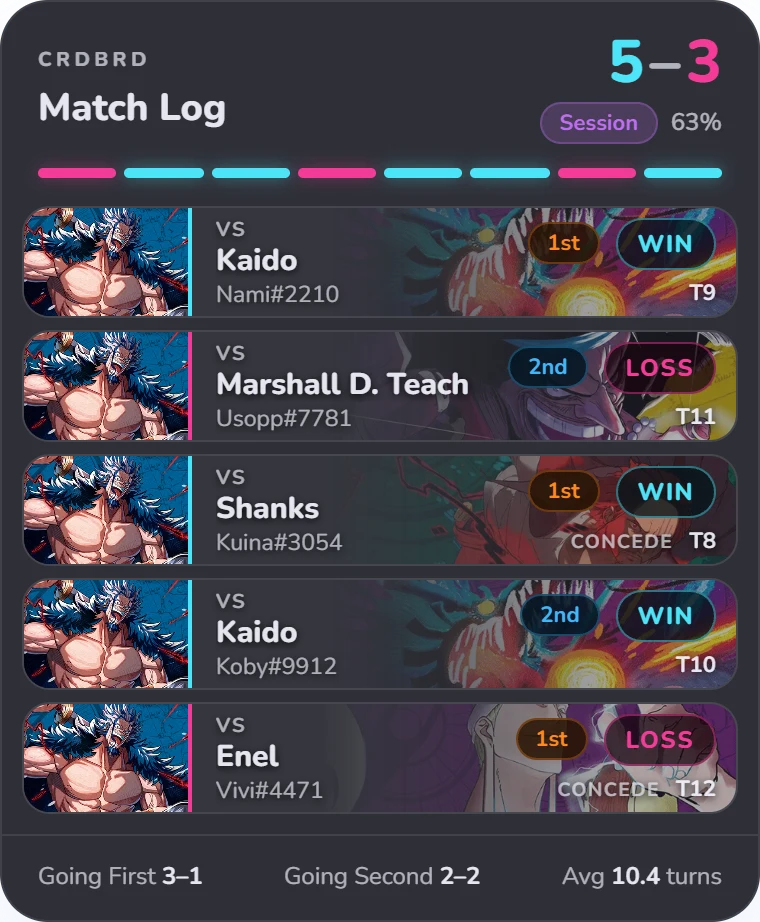
Match log
Every game with the opponent's leader, who went first, turns and how it ended. Session record on top.

Free OBS overlays that follow your OPTCG Sim games as you play: a match log, a record bar for your deck and your matchups. Nothing to type and no account needed.
Every game with the opponent's leader, who went first, turns and how it ended. Session record on top.
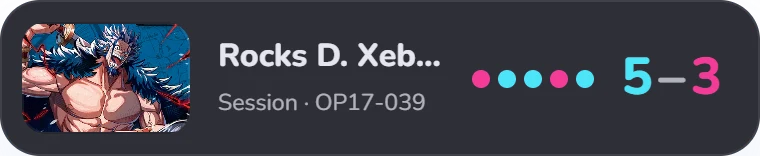
A slim bar for the deck you're on, with its record and last five results. Switches the moment you load a new leader.
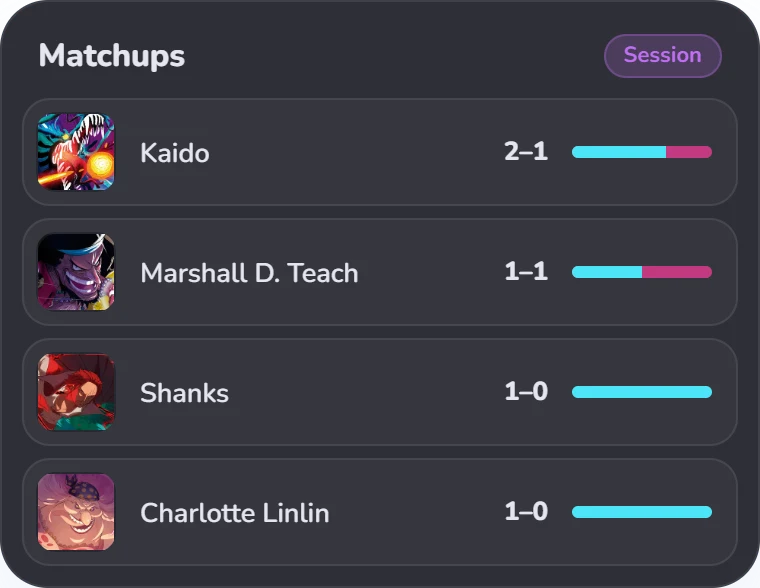
Your wins and losses against each opposing leader, most played first.
Open CRDBRD Overlay.exe. It sits in the system tray and finds the sim on its own.
In OBS choose Sources → + → Browser, paste a link such as http://localhost:4747/log and set the width to 404.
Results show up as each game ends. Restart the session or switch to today's games from the controls, which you can also dock inside OBS.
Yes, for now. SmartScreen warns about new apps that aren't code-signed yet. Choose More info → Run anyway. Only download the overlay from this site.
Yes. Any game you play in the sim is logged, ranked or not.
Yes. Use it on any stream, including monetized ones.
Not yet. The overlay is Windows only.
When a new version is out, the overlay offers Update now in its controls and tray menu. It downloads the update, checks it and restarts by itself, and your history stays put. You can turn the check off in the controls.
Quit it from the tray icon, turn off Start with Windows first if you enabled it, then delete the exe. Your history is in %APPDATA%\CRDBRD Overlay if you want to remove that too.
Free for every streamer. Windows 10 and 11.
Download for Windows